
Fire TV
Install Downloader by AFTVnews from the Amazon Appstore. Open it and type this short link.
www.castor.now/a
- Downloader fetches the app.
- Install it when the TV asks.
- Open Castor.
Free app
The IPTV app for a Fire TV Stick, Android TV, or Android phone. Live TV, films, and series. The app costs nothing.
Android 7.0 or newer. Fire TV Stick, Stick 4K, 4K Max, Cube, Android TV, and Google TV use this same file.
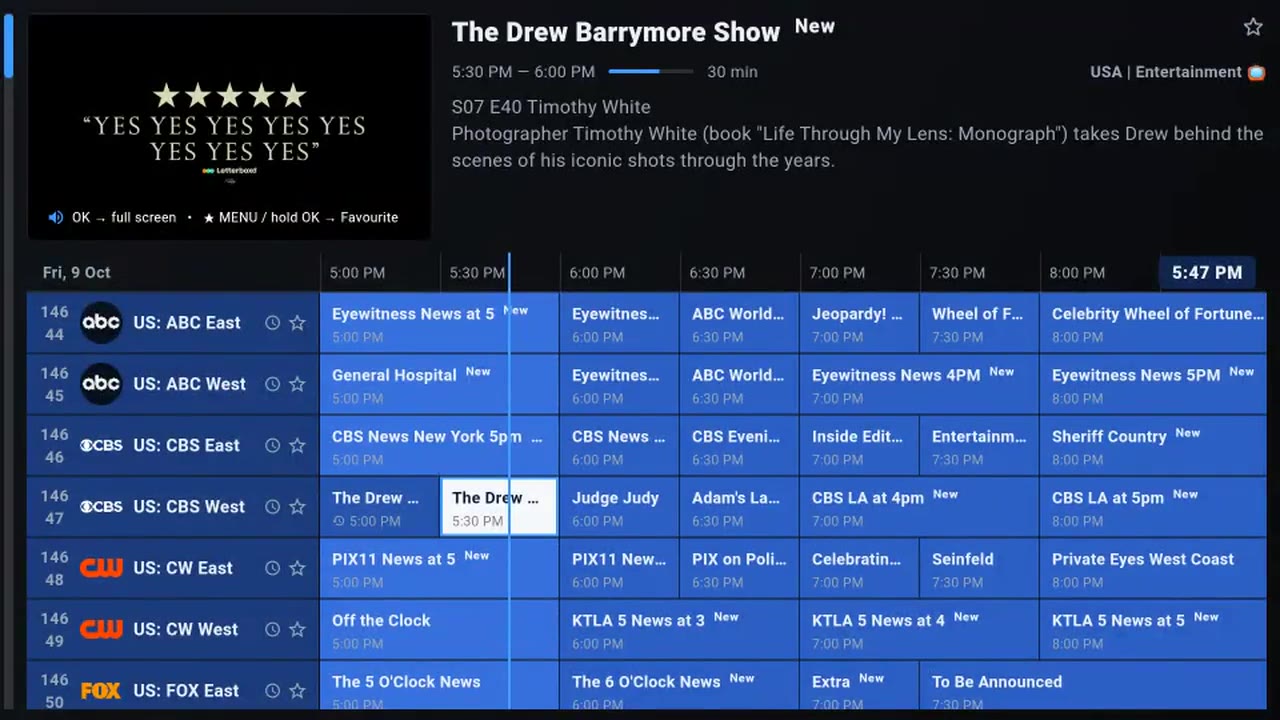
Install
A Fire TV has no browser worth using, so the short link is for the Downloader app. A phone just takes the file.
Install Downloader by AFTVnews from the Amazon Appstore. Open it and type this short link.
www.castor.now/a
Use the download button. When Android asks, allow install from this source, then open the app.
Sign in
Message us and say which server. Usually a few minutes, and you get the full lineup, not a sample.
A username and password, for the United States, Canada, and the UK. In Castor, choose Ruby server and sign in. The trial is 24 hours.
Open Castor, choose VIP server, and send the device ID on the activation screen. The trial is 48 hours. No username.
Need more detail on the TV? Read the Fire TV Stick guide. iPhone, iPad, and Apple TV use another player: see which one, or go back to Castor for pricing.